How to Recover a Hacked Minecraft Account, Step by Step
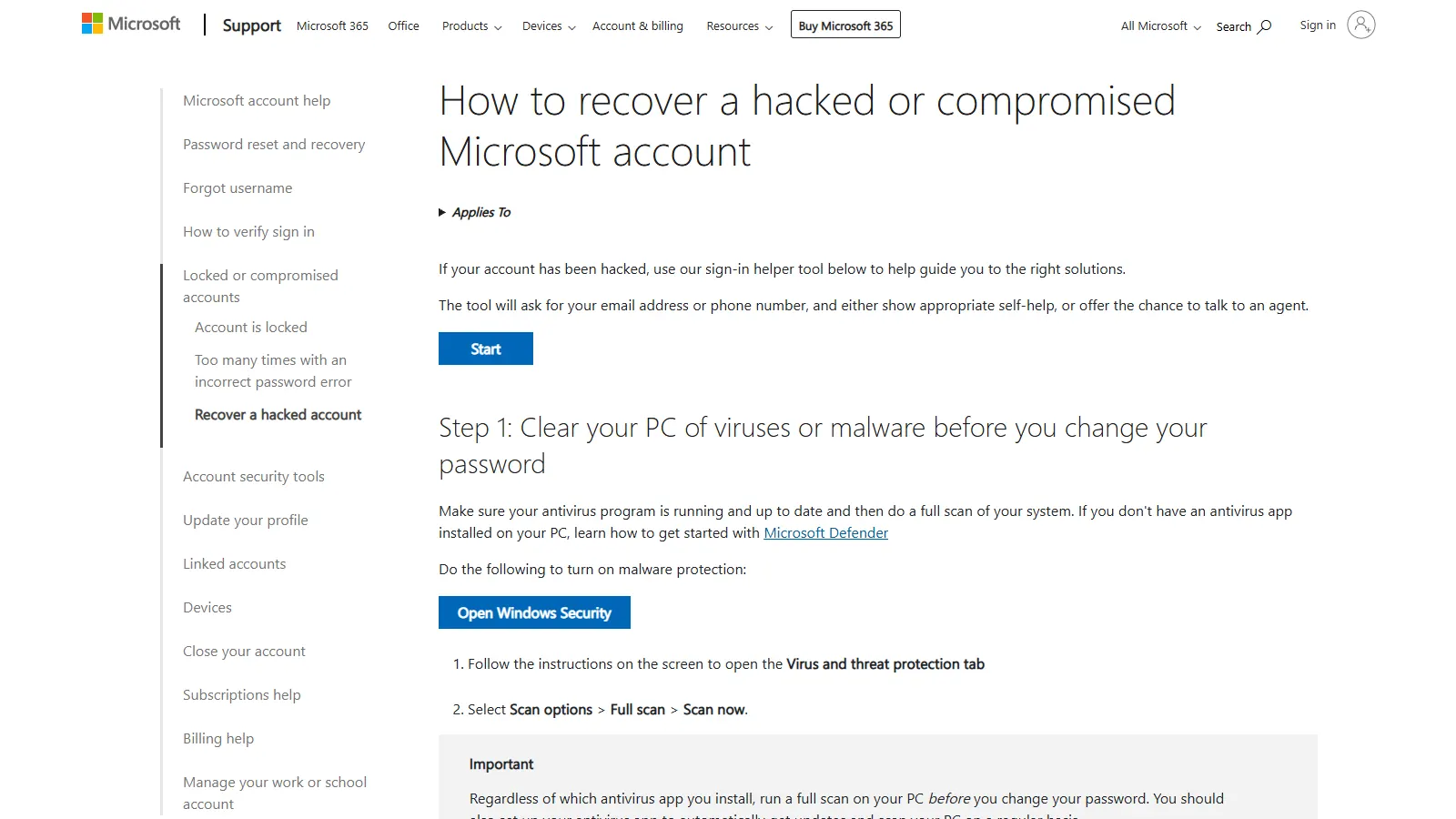
Screenshot: How to recover a hacked or compromised Microsoft account (support.microsoft.com)
If you need to recover a hacked Minecraft account, start with one fact: there is no separate Minecraft password to reset. Minecraft Help says your Minecraft entitlements are stored under your Microsoft account, so if you lose access to that account, you lose access to Minecraft.
So recovery happens on the Microsoft side. This guide covers the order to do things in, what to do if you are locked out, and what to check in Minecraft once you are back in.
Signs your account was compromised
Not every sign-in problem is a hack. Minecraft Help notes that many accounts people believe were stolen are actually a sign-in issue or a locked account. Look for concrete evidence:
- Your password stops working and you did not change it.
- You get an email about a password change, new security info, or unusual activity that you did not trigger.
- Your Microsoft account shows a "security info change is still pending" message you did not start.
- Your Java profile name or skin changed without you.
- A server such as Hypixel blocks the account for suspicious activity.
If you get a security email, do not click its links. Microsoft says you can always sign in to your account directly instead of using links in the message.
Step 1: Clean the device before you change anything
Microsoft's guidance for a hacked account puts this first: run a full antivirus scan before changing the password. The logic is simple. If malware is still on the PC, it could capture the new password too.
On Windows, Microsoft points to Windows Security: open Virus and threat protection, then Scan options, Full scan, Scan now.
If you recently installed a mod, client, or "FPS booster" from an unofficial source, treat it as a suspect. How those files steal sessions is covered in Minecraft Session Hijacking and Token Stealers.
Step 2: If you can still sign in
Move quickly but in order.
- Change the password. Make it new and unique. Do not reuse anything from Discord, email, or other games.
- Review security info. Remove any email, phone number, or authenticator you do not recognize. Add your own first if you need to, so you never drop to zero working methods.
- Sign out everywhere. In the Microsoft account security dashboard, open Advanced security options, scroll to Sign out everywhere, and select Sign out. Microsoft says this can take up to 24 hours and does not cover an Xbox console, which has to be signed out separately.
- Check Recent activity. Go to
account.live.com/Activity. Microsoft says this page shows when and where the account was used in the last 30 days.
On the Recent activity page, look for entries like "Password changed", "Alternate email added", "All security info marked for removal", and "Permission given to an application". If there is an Unusual activity section, expand each item and choose This was me or This wasn't me. Choosing "This wasn't me" starts a flow where Microsoft asks you to change your password and update security info.
For the general hardening sequence on a fresh account, see How to Secure a Minecraft Account After Buying. The rest of this guide focuses on the case where someone else got in.
Step 3: Recover a hacked Minecraft account when you are locked out
Try the normal reset first
Use the Microsoft password reset at account.live.com/password/reset. If any of the listed email addresses or phone numbers are still yours, start here.
Use the Sign-in Helper
Microsoft's hacked-account article opens with a sign-in helper tool. It asks for your email or phone number and either shows self-help or offers a chance to talk to an agent. Microsoft also recommends trying it before the recovery form, and using it if you do not recognize the verification options shown during a password reset.
Fill out the account recovery form
If the reset and helper do not work, the official recovery form is at account.live.com/acsr. It asks questions about the account that only the owner should be able to answer. Microsoft's own tips:
- Have a working email ready. Any active inbox works, even a friend's. If you have none, you can create a free outlook.com address. Microsoft only uses it to contact you about the request.
- Use a familiar device and location. If possible, fill it in on a device you have signed in with before, from a place you normally use it, such as home.
- Answer as much as you can. Microsoft says guessing is fine and wrong answers do not count against you.
- List old passwords. Check the passwords saved in your browser for anything you used on this account.
- Add Xbox details if you have them. If you used the account on an Xbox, you may be asked for the hardware ID of a console you used often.
- Check your inbox within a day. Microsoft says it replies to the working email within 24 hours.
If the request is not approved, you can try again, up to two times per day. Use the guidance above to give better answers rather than resubmitting the same form.
The 30-day pending state
If the attacker removed all of your security info and added their own, Microsoft puts the account into a restricted state for 30 days and sends notifications to the original contact methods. If you did not make that change, sign in to the Security page and select let us know in the pending window. Microsoft says it cannot speed up the 30 days unless the request is cancelled.
What support cannot do
Knowing the limits helps you spot fake "support" offers:
- Microsoft states that its support agents are not allowed to send password reset links or access and change account details. The exception is the separate reinstatement form for accounts Microsoft itself has locked.
- If you turned on two-step verification and cannot reach any of your alternate methods, Microsoft says it cannot help.
- Minecraft Help sends Microsoft account access problems to Microsoft's own support pages and tools.
- Minecraft Help also says it does not support licenses bought from resellers or third-party sites, and treats the person who created the account as its owner. If you bought an account, your route is the seller's support, not Mojang's. This is one reason full-access accounts matter. See NFA vs SFA vs MFA.
Given that, anyone on Discord who offers to "recover" your account for a fee, or asks for your email and password to do it, is not Microsoft.
Step 4: After you are back in
Revoke app permissions
Some account theft does not touch your password at all. It works by getting you to approve an app through a real Microsoft sign-in prompt. Go to account.live.com/consent/Manage (Microsoft's short link microsoft.com/consent redirects there) and remove permissions from any app you do not recognize.
The full explanation of how these OAuth tricks work is in the token stealer guide.
Re-sign in to the launcher
Minecraft Help describes resetting your sign-in from the launcher: open the account dropdown in the top left, select Log out, then sign back in with Microsoft. Do this on every machine you play on. Do the same in any third-party launcher you use.
Check your Java profile name
Sign in to your profile on minecraft.net and look at the Java profile name. Minecraft Help says Java profile names can be changed once every 30 days, and that you can go back to an old name after waiting 30 days. If the account was renamed recently, you may have to wait before you can change it.
Check your skin and cape
Open the Skins tab under Java Edition in the launcher, or the Change Your Skin page in your Minecraft profile. Re-upload your skin if it was replaced and re-equip your cape.
Turn on stronger sign-in
Hypixel's own account security guidance recommends enabling two-factor authentication on the Microsoft account and regularly reviewing your login history. Use an authenticator app. Keep more than one valid recovery method, as Microsoft advises.
If Hypixel blocked the account
Hypixel issues Suspicious Activity Account Blocks when its systems detect activity suggesting an account was compromised. Hypixel says the block needs an appeal through its forums, and that Hypixel Support does not process these blocks.
Secure the Microsoft account first, then appeal. Once an appeal is accepted, Hypixel says the account stays blocked for a 14-day recovery period. Hypixel also warns that repeated incidents may lead to a permanent block.
The full appeal walkthrough is in Hypixel Account Security Alert Bans Explained.
FAQ
Can Minecraft support recover my account?
No. Minecraft Help sends Microsoft account access problems to Microsoft. Use Microsoft's reset, Sign-in Helper, or recovery form.
How long does the Microsoft recovery form take?
Microsoft says it sends results to your working email within 24 hours. If it fails, you can try again up to twice a day.
Does changing my password log the hacker out?
Do not rely on it alone. Also use Sign out everywhere, which Microsoft says can take up to 24 hours, and remove any app permissions you do not recognize.
The hacker changed my username. Can I change it back right away?
Only if the 30-day cooldown on Java profile name changes has passed. Otherwise you have to wait it out.
Sources checked
- Minecraft Help: Troubleshooting Locked, Compromised or Stolen Microsoft Accounts
- Minecraft Help: Who to Contact with Your Minecraft Support Questions
- Minecraft Help: Can I Buy or Sell Minecraft Accounts?
- Minecraft Help: Reset Your Microsoft Account Sign-in in Minecraft
- Minecraft Help: View or Change Your In-Game Profile Name
- Minecraft Help: Make a Custom Skin in Minecraft: Java Edition
- Microsoft: How to recover a hacked or compromised Microsoft account
- Microsoft: Help with the Microsoft account recovery form
- Microsoft: Account recovery unsuccessful
- Microsoft: How to sign out of your Microsoft account everywhere
- Microsoft: What is the Recent activity page?
- Microsoft: What does "Security info change is still pending" mean?
- Microsoft: Microsoft account has been locked
- Hypixel Support: How to Handle Suspicious Activity Account Blocks