How to Check Capes on a Minecraft Account: Before and After
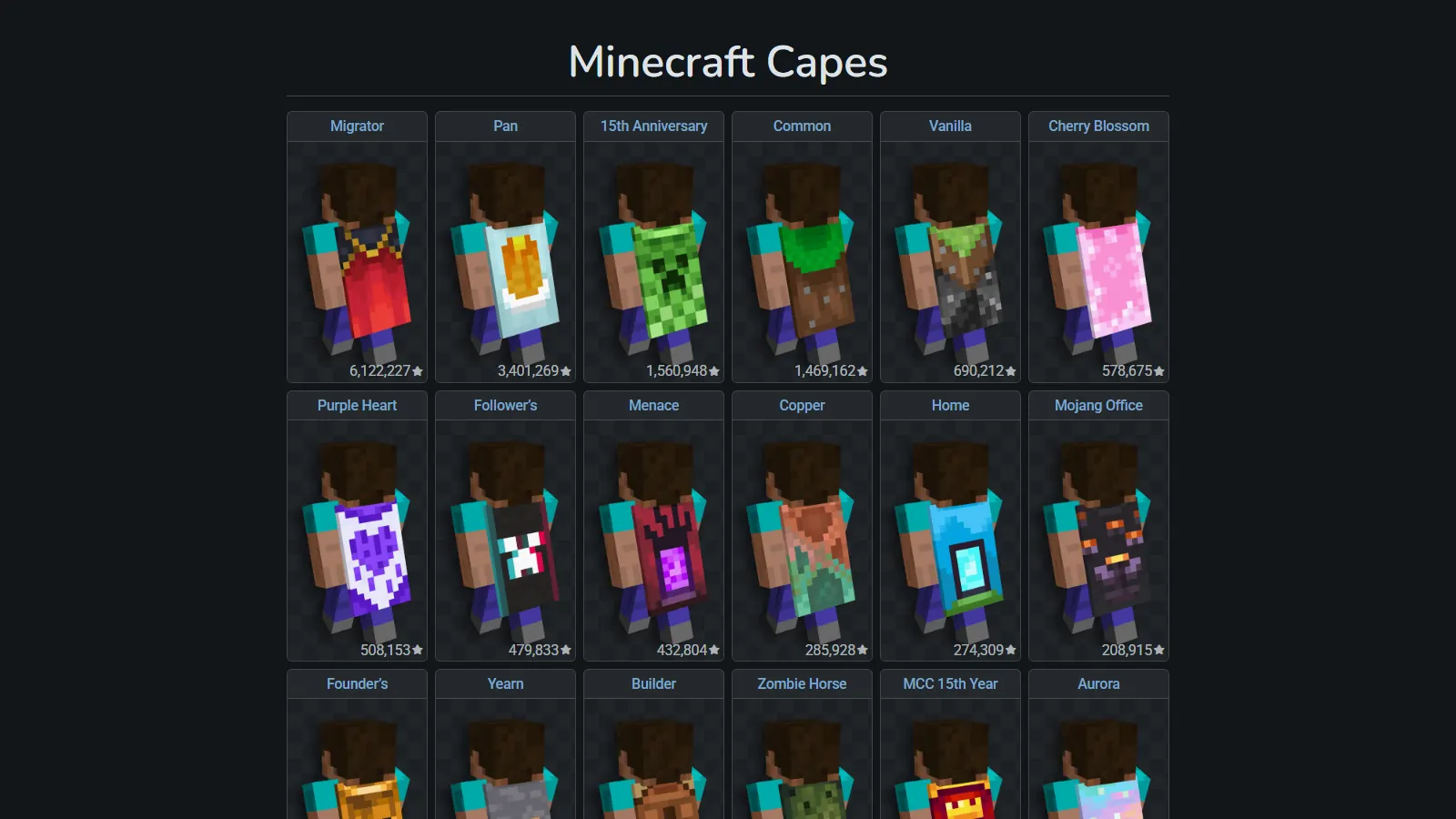
Screenshot: Minecraft Capes | NameMC (namemc.com)
If you want to check capes on a Minecraft account, there are four places to look, and they do not show the same thing. Only the account owner can see the full list of capes the account owns. Everyone else sees, at most, the cape that is equipped right now, plus whatever a third-party site happened to record in the past.
That gap matters when you buy a caped alt. Here is what each method shows, what proof to ask a seller for, and how to confirm the cape once the account is yours.
Details were checked in October 2026 and apply to Java Edition.
How to check capes on a Minecraft account: the short version
- Launcher cape picker: shows every official cape on the account. Owner only.
- Minecraft services profile: the data behind that picker. Needs the account's login token.
- Public profile lookup: anyone can do it, but it only shows the cape currently equipped.
- NameMC: a third-party record of capes it has seen worn. Useful history, not proof of ownership.
- OptiFine and Lunar Client capes are not official Minecraft capes and do not show up in any of Mojang's checks.
Method 1: The launcher cape picker (owner only)
The Minecraft Help Center steps for equipping a cape double as the way to see which capes an account has:
- Open the Minecraft Launcher and select Minecraft: Java Edition.
- Go to the Skins tab.
- Hover over a saved skin (or create or duplicate one) and select ....
- Select Edit. The cape options are listed there.
- Pick a cape and click Save & Use if you want to wear it.
The Minecraft Wiki notes you can also equip capes from the profile page on the Minecraft website.
One catch for new capes: Minecraft Help says a newly awarded or redeemed cape first appears in the Bedrock Edition Dressing Room. You claim it by opening Bedrock with the same Microsoft account, and only then does it show up in Java. If a cape you just earned is missing, that is the first thing to check.
Method 2: The Minecraft services profile (what the launcher reads)
The launcher gets your cape list from https://api.minecraftservices.com/minecraft/profile. The Minecraft Wiki's Mojang API page documents what it returns:
- a
capeslist with every cape the account owns - for each cape: an
id, aurlto the texture, analias(the cape's name), and astate stateisACTIVEfor the cape currently worn andINACTIVEfor a cape that is owned but not displayed
This endpoint needs the account's Minecraft access token. Without one it refuses the request (we got a 401 response when trying). That is the point: it is the owner's view, not a public one.
Do not paste an access token into a "cape checker" website, a Discord bot, or anything a seller sends you. A valid token lets someone act as that account on servers. Minecraft session hijacking and token stealers explains how that goes wrong. If you own the account, the launcher picker shows the same list with no risk.
Method 3: The public profile lookup (equipped cape only)
Anyone can look up an account's current skin and cape through Mojang's session server. No login is needed.
- Find the account's UUID. Open
https://api.mojang.com/users/profiles/minecraft/<username>and copy theidvalue. If UUIDs are new to you, see Minecraft UUID explained. - Open
https://sessionserver.mojang.com/session/minecraft/profile/<uuid>. - Copy the long
valuestring and decode it with any Base64 decoder. This is public data, so decoding it is safe.
The decoded text contains a textures object. SKIN holds the skin. A CAPE entry with a textures.minecraft.net URL appears only when the account is wearing a cape. Open that URL to see the cape texture itself.
When we checked, jeb\_ returned both entries:
"textures" : {
  "SKIN" : { "url" : "http://textures.minecraft.net/texture/7fd9ba42..." },
  "CAPE" : { "url" : "http://textures.minecraft.net/texture/9e507afc..." }
}
Notch's profile returned only SKIN.
Read the result carefully:
- A
CAPEentry proves one cape, right now. It says nothing about other capes on the account. - No
CAPEentry does not mean no capes. The Mojang API includes a way to hide the active cape, so an owner can simply choose not to wear one. - The decoded data includes a
timestamp, so you can tell the answer is current rather than an old screenshot.
Method 4: NameMC cape listings
NameMC is a third-party site. Its FAQ says it is not affiliated with Mojang or Microsoft. Profile pages show a Capes section with a count, and a separate OptiFine Cape section when it has one on record.
NameMC's FAQ explains how it gets skins: wear the skin on your Java profile, wait 60 seconds, then visit your NameMC profile page, and it uploads automatically. It does not explain capes. But public profile data only includes the equipped cape, so in practice NameMC can only learn about a cape after the account wears it and the profile is looked up.
That makes a NameMC cape list a history, not a live check. When we looked, NameMC listed two capes for jeb\_ while the session server showed one equipped. Keep that in mind both ways:
- A cape listed on NameMC may no longer be the one shown, and the page may lag behind changes.
- A cape that was never worn while NameMC was looking will not be listed at all.
The NameMC capes page also shows how many profiles it has recorded for each cape. Those are NameMC's own counts, not official numbers from Mojang.
What proof to ask a seller for before you buy
Capes cannot be transferred between accounts, so a caped alt's value rests on that one account. The Minecraft Wiki also notes that accounts with rare capes have been common targets of hacking attempts. Ask for proof you can check yourself:
- The username or UUID, so you can run the public lookup and see the NameMC history.
- A live equip. Ask the seller to equip the named cape, then run the session server lookup yourself and look for the
CAPEentry. This is the strongest check a buyer can do without access to the account. - The launcher cape list for accounts sold with several capes, as a screenshot or short video with the username visible. Screenshots can be edited, so pair this with a live equip of at least one cape.
Walk away from any "proof" that asks you to sign in somewhere, install something, or hand over a token. For the rest of the buying process, see how to claim an alt without getting scammed, and for which capes are worth paying extra for, see Rare Minecraft Capes in 2026.
On our side, caped accounts are listed by cape name, such as Cherry Blossom or MCC 15th Year, and start at $8.99 at time of writing.
How to verify the cape after delivery
Once you have the account, do the owner check rather than relying on public data:
- Sign in to the launcher with the delivered account.
- Open Skins, select ... on a skin, then Edit, and confirm the cape you paid for is in the list.
- Select it and click Save & Use, then restart the game if it does not appear.
- Look at your character in third person. Your elytra also takes on the cape's design.
- Run the public session server lookup again and confirm a
CAPEentry now appears for the account's UUID.
If the cape is not in the list, check that you signed in to the account you expected by comparing its UUID with the one you checked before buying. Then contact the seller right away with what you see.
OptiFine and Lunar capes are not official capes
The Minecraft Wiki says mod capes are only visible to other users of those mods. OptiFine says its donation cape is visible to everyone using OptiFine 1.1 B or newer. Lunar Client's store describes its cloaks as visible to other Lunar Client users.
Neither is part of the Minecraft profile, so they will not appear in the launcher cape list or in Mojang's profile data. NameMC lists OptiFine capes in their own section, separate from official capes. If a listing says "caped", make sure it means an official cape.
FAQ
Can I see every cape on someone else's account?
No. Public lookups only show the cape that is equipped right now. The full list is visible only to someone signed in to the account.
Why does NameMC show a cape the account is not wearing?
NameMC keeps a record of capes it has seen on the profile. The account may have switched capes or hidden its cape since then.
Does a hidden cape show up in the public lookup?
No. If no cape is equipped, the decoded profile has no CAPE entry at all.
Sources checked
- Minecraft Help: Make a Custom Skin in Minecraft: Java Edition
- Minecraft Help: Activate Promotional Capes and Character Creator Items on Your Java Edition Profile
- Minecraft Wiki: Mojang API
- Minecraft Wiki: Cape
- Mojang session server profile for jeb\_
- NameMC FAQ
- NameMC: Minecraft Capes
- NameMC profile: jeb\_
- OptiFine Donate
- Lunar Client Store cloak listing